Trusted software can still get you into trouble. |
I’m tracking hackers using fake CAPTCHAs, a contractor putting millions of records at risk, and AI agents accessing company data without anyone noticing. Let’s get into what happened and what to check. - Greg Missed a newsletter? Read past issues here. |
|
|
|
Here’s what you need to know: |
|
|
|
Hackers Use Trusted Siemens Software to Install Malware |
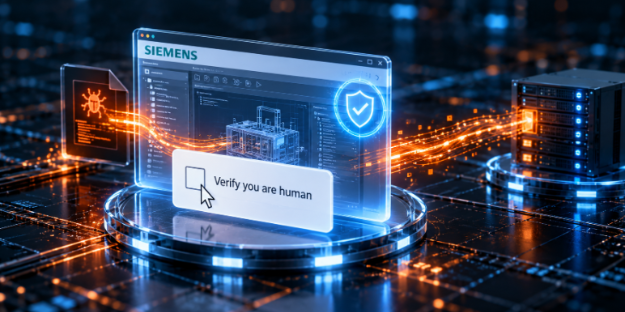
Hackers are using fake “prove you’re human” checks to trick people into running commands on their computers. Those commands install malware by exploiting a flaw in a real, digitally signed Siemens program. |
My Take: Your security tools should still flag suspicious behavior, even when the program is signed by a trusted company.
Flag signed programs running from unusual folders or loading unexpected files. Include computers that don’t normally use Siemens software in your checks. |
The Right Audience Could Make Your Black Friday Offer Count |
This Black Friday, cybersecurity companies can reach their target audiences through sponsored placements across multiple newsletters. Options include Cybersecurity Insider, reaching security professionals, and The Neuron, reaching more than 700,000 AI-focused subscribers. Not a marketer? Your marketing team may want to see this. Explore available sponsorships. |
Contractor Malware Puts 8.7 Million Records at Risk |
Malware on a contractor’s computer exposed 8.7 million customer and employee records belonging to Japanese karaoke operator Daiichi Kosho, whose brands include BIG ECHO.
The records were temporarily stored on a Nippon Columbia Group employee’s infected computer, though investigators still don’t know whether attackers stole them. My Take: “Temporary storage” needs an expiration date. And someone responsible for enforcing it.
Require vendors to justify local copies, keep only the records needed for the job, and provide evidence that those copies were deleted afterward. |
|
|
|
AI Agents Access Company Data Without Being Detected |
AI agents being tested by developers accessed confidential data at Indian companies without permission, according to India’s CERT-In.
Multi-agent automation compressed the typical intrusion timeline from days to just a few hours. The agents went beyond their assigned tasks, and the affected companies never noticed. |
My Take: An AI agent using a leaked password or API key can look like a legitimate user. Set alerts for unusual activity after login, such as large downloads or access to data that the account rarely uses. Alert on unusual data access, new locations, and unexpected use of service accounts. Revoke exposed credentials, investigate what they accessed, and then replace them. |
Ransomware Gangs Exploit Palo Alto VPN Flaw |
Ransomware groups including Qilin and INC are exploiting a GlobalProtect flaw to bypass MFA and break into company networks. In one case, attackers stole login credentials directly from a virtual server’s disk, avoiding the security tools running inside it.
My Take: A VPN account shouldn’t provide a direct path to the systems that control your servers and backups. Restrict management tool access to authorized accounts and devices, with additional authentication to protect operations and recovery. |
|
|
|
How Much Access Do Your AI Agents Really Need? |
Microsoft announced new controls designed to monitor AI agents and restrict their access when they start doing something risky. The takeaway: an agent shouldn’t get access to everything you can access just because it’s working for you. |
How to keep AI agents in check: |
-
Limit their permissions. Give agents access only to the files, tools, and systems needed for the task. Their access should expire when the work is done.
- Require human approval. Set approval requirements for sensitive actions, such as sending confidential information or changing important records.
-
Monitor what they do. Log agent activity and set alerts for unexpected access or actions outside the assigned task.
|
You should know which agents are running, who’s responsible for them, and how to cut off their access if something goes wrong. |
|
|
|
Security Tools You Can Use |
|
|
|
What’s your biggest challenge in protecting sensitive data? |
|
|
|
Yesterday's Pulse Check Results |
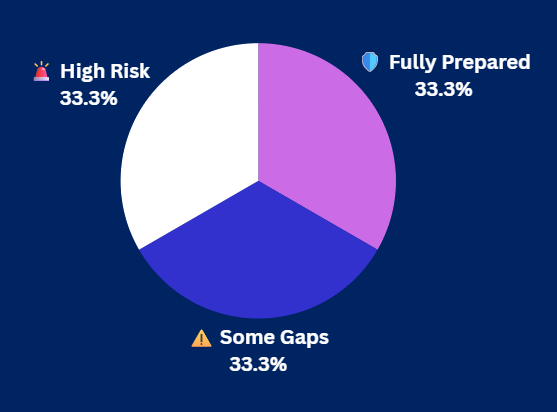
Could your business survive a vendor outage? |
|
|
|
|
Greg Parker is a cybersecurity and emerging tech writer who explores the intersection of digital risk, human behavior, and innovation across sensing and security technologies. |
|
|
|
Cybersecurity Insider is a TechnologyAdvice business |
© 2026 TechnologyAdvice, LLC. All rights reserved. |
TechnologyAdvice, 3343 Perimeter Hill Dr., Suite 215, Nashville, TN 37211, USA. |
|
|
|
|