Greetings, Digital Defenders! 🛡️ |
Today’s rundown is packed with zero-click hacks, DevSecOps panic buttons, and large-scale scam operations hijacking the web. From spyware silently slipping into iPhones to GitLab and Trend Micro scrambling to plug critical holes, the risk levels are high — stay sharp and don’t let your guard down.
Also, check in with our poll at the bottom: How often do you actually check the CVE database for new threats? |
|
| Here’s what you need to know: |
|
|
iPhone Users Targeted by Sophisticated Zero-Click Spyware from Paragon |
Source: support.apple.com. |
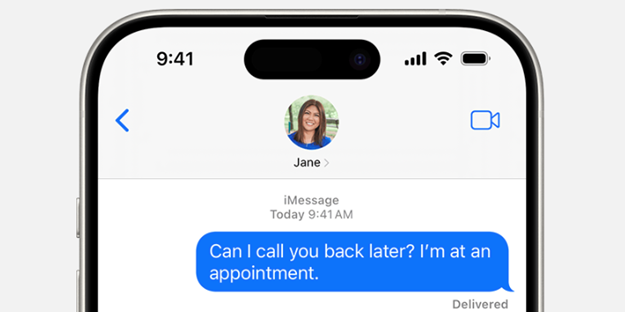
The iPhones, running iOS 18.2.1, were compromised via iMessage using CVE-2025-43200, a zero-day vulnerability involving malicious media shared through iCloud Links. The attacks, which left no visible signs on the devices, allowed remote code execution and connection to a Paragon-linked C2 server.
iOS users are advised to update to iOS 18.3.1 to avoid being compromised. |
GitLab Patches Critical Flaws Allowing Account Takeover and Pipeline Injection |
GitLab has issued urgent security updates to fix multiple high-risk vulnerabilities in its DevSecOps platform, including bugs that could let attackers hijack accounts or inject malicious jobs into CI/CD pipelines.
The company released patched versions 18.0.2, 17.11.4, and 17.10.8 of GitLab Community and Enterprise editions, strongly urging all self-managed users to upgrade immediately. While GitLab.com is already running the updated version, GitLab Dedicated users are not required to take further action. As a precaution, admins should also audit recent pipeline activity and user access logs for any suspicious behavior. |
WordPress Sites Hijacked to Fuel VexTrio’s Global Scam Network |
A sprawling cybercriminal operation linked to the VexTrio Viper Traffic Distribution Service (TDS) is weaponizing compromised WordPress websites to funnel users into a vast ecosystem of scams and malware.
According to Infoblox and GoDaddy, VexTrio and its affiliates — such as Los Pollos, Taco Loco, and Adtrafico — leverage smartlinks, push notifications, and DNS-based redirection techniques to reroute site visitors to phishing sites, fake giveaways, and malicious apps. Users should avoid clicking on suspicious ads or pop-ups and use reputable ad blockers and DNS filtering tools to block malicious redirects. |
|
|
How often do you actually check the CVE database* for new threats? |
*See today’s Security Tip for more on CVEs. |
|
|
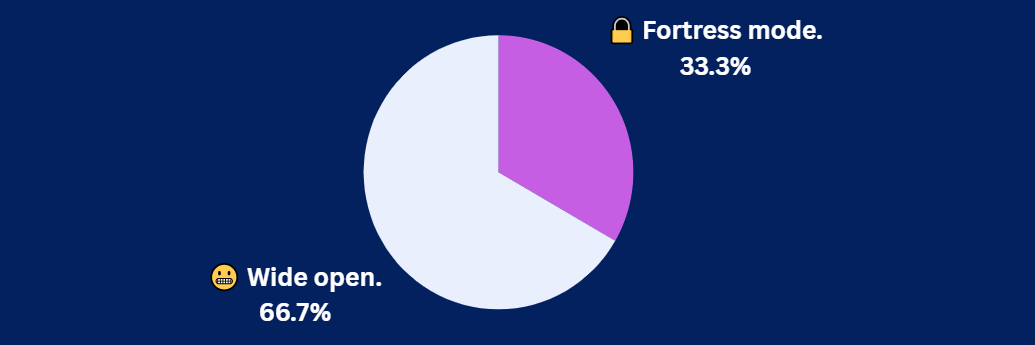
Yesterday's Pulse Check Results |
How hackable is your GPS setup, really? |
|
|
Trend Micro Fixes Critical Flaws in Two Key Enterprise Security Platforms |
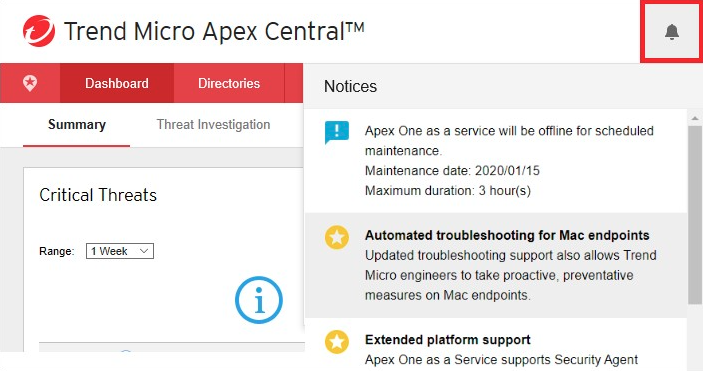
Trend Micro has released urgent security updates to fix multiple critical remote code execution and authentication bypass vulnerabilities affecting its Apex Central and Endpoint Encryption (TMEE) PolicyServer platforms — key tools used in highly regulated enterprise environments. |
Source: docs.trendmicro.com. |
Among the most severe issues are several pre-authentication RCE flaws that allow attackers to execute arbitrary code as SYSTEM without credentials, as well as a complete login bypass enabling full admin access. No in-the-wild exploitation has been observed as of yet, but users are strongly advised to patch immediately to avoid being compromised. |
New ‘TokenBreak’ Attack Method Bypasses LLM Safety Filters with a Single Character |
Security researchers have unveiled a stealthy new attack method dubbed TokenBreak that can circumvent large language models’ (LLMs) content moderation systems using only minor character tweaks.
By exploiting quirks in how LLMs tokenize text — essentially how they break input into digestible pieces — TokenBreak induces false negatives in safety filters, allowing malicious prompts to slip past detection. The technique targets the very foundation of LLM processing, revealing a critical blind spot in current content filtering strategies.
To stay protected, users should avoid relying solely on LLM-based content filters and implement additional input validation and monitoring to catch manipulated or obfuscated prompts. |
Over 269,000 Web Pages Compromised in Massive JavaScript Obfuscation Campaign |
Researchers at Palo Alto Networks discovered a widespread malware campaign that has compromised more than 269,000 legitimate webpages using an advanced JavaScript obfuscation technique known as JSFireTruck. Active in March and April 2025, attackers used stealthy, obfuscated code to redirect search engine visitors to fake downloads and phishing sites, with a major surge around April 12 pointing to a coordinated, large-scale effort.
To stay safe, users should avoid clicking on unfamiliar links from search results, keep their browsers and security software up to date, and use web protection tools that can block malicious redirects and detect suspicious scripts. |
|
|
How to Use CVEs to Protect Yourself Online |
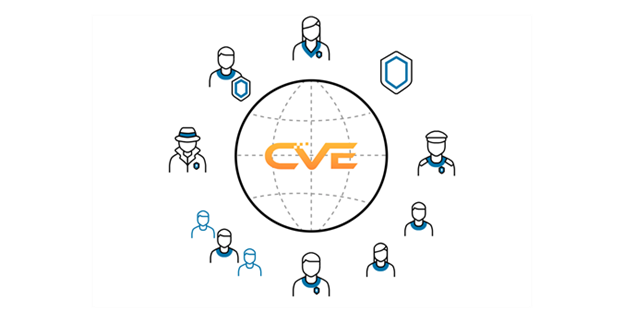
Every day, new security flaws pop up that could put your personal info and devices at risk. Luckily, there’s a free, public resource called the CVE database that lists known cyber threats so everyone — not just security experts — can understand what’s out there.
|
Each CVE identifies a specific problem and shows how serious it is, helping you know which risks matter most. While CVEs give you the list of dangers, a scoring system called CVSS ranks them by severity. This makes it easier to see which vulnerabilities need urgent attention and which are less critical. Common threats include attacks that let hackers take over your device, steal data, or crash your apps. By checking the CVE database and keeping your software updated, you can actively stay ahead of hackers and protect your personal info. |
Easy Tips for Staying Safe Using CVEs: |
-
Regularly monitor the CVE database (cve.org) for new vulnerabilities relevant to your systems and software
- Use CVSS scores to prioritize patching — fix the highest severity issues first.
- Cross-reference CVE entries with vendor advisories to implement patches and mitigations quickly.
-
Focus on common threat types like RCE, XSS, SQLi, and Authentication Bypass to strengthen your defenses.
- Stay informed on emerging vulnerabilities to avoid being blindsided by zero-day exploits.
|
Protecting yourself online doesn’t have to be complicated — use CVEs as your guide to keep hackers out. |
|
|
| Leon Yen is a cybersecurity expert and seasoned tech journalist with over a decade of experience, including founding a cyber risk startup and leading industry-focused research and reporting. |
|
|
Into more than just malware and mayhem? |
Stay sharp on AI, cloud, DevOps, and the tech players shaking things up. Subscribe to Daily Tech Insider for no-fluff rundowns and witty breakdowns delivered straight to your inbox—because knowing what’s next helps you stay secure. |
|
|
Into more than just malware and mayhem? |
Stay sharp on AI, cloud, DevOps, and the tech players shaking things up. Subscribe to Daily Tech Insider for no-fluff rundowns and witty breakdowns delivered straight to your inbox—because knowing what’s next helps you stay secure. |
|
|
Cybersecurity Insider is a TechnologyAdvice business |
© 2025 TechnologyAdvice, LLC. All rights reserved. |
TechnologyAdvice, 3343 Perimeter Hill Dr., Suite 100, Nashville, TN 37211, USA. |
|
|
|