Greetings, Digital Defenders! 🛡️ |
Cyber threats are coming in fast: critical Intel chip flaws, stealthy botnets, upgraded phishing schemes, and a crackdown on TP-Link. Even Australia's human rights agency suffered a major data breach. Also, don't miss the quick poll at the bottom: Is your home router safe from hackers? |
|
|
Here’s what you need to know: |
-
Critical flaw in all modern Intel chips revives Spectre-like attack fears
- HTTPBot DDoS botnet hits gaming and tech sectors with precision strikes
- Tax-themed phishing scam uses PowerShell to install malware
- New tool can trick Windows into turning off Microsoft Defender
-
Australian human rights agency exposes hundreds of sensitive documents
|
| |
Newly Discovered CPU Flaw Puts All Modern Intel Chips at Risk |
Researchers at ETH Zürich have uncovered a critical vulnerability that affects all modern Intel CPUs, reigniting concerns tied to the long-feared Spectre class of attacks. |
The flaw allows unprivileged users to snoop on sensitive data in CPU cache and memory, effectively bypassing hardware security barriers. Users should install the latest Intel microcode updates to patch CVE-2024-45332 and protect against potential data leaks. |
Windows Botnet Targets Gaming, Tech, and EdTech with Surgical DDoS Attacks |
A new Windows-based botnet called HTTPBot is targeting gaming, tech, and education firms in China with pinpoint DDoS attacks. Using stealthy HTTP flood tactics, it disrupts key services like game logins and payment systems.
Although the current attacks focus on Chinese firms, companies worldwide in affected industries should stay alert—HTTPBot could easily spread beyond borders. |
New Phishing Campaign Uses PowerShell to Deliver Malware via Tax-Themed Emails |
Cybersecurity researchers at Qualys have uncovered a sophisticated malware campaign that uses a PowerShell-based shellcode loader to deliver the Remcos remote access trojan (RAT). The attack uses tax-themed phishing emails containing ZIP files that contain malicious Windows shortcut (LNK) files.
Users should avoid unexpected ZIP email attachments and properly configure PowerShell policies and antivirus protections. |
|
|
🛡️ This section contains sponsored cybersecurity insights. |
|
|
‘Defendnot’ Disables Microsoft Defender by Faking Antivirus Registration on Windows |
The tool works by tricking Windows into thinking another security tool is active, causing Defender to automatically turn off. Windows users should regularly verify their antivirus status and be cautious about running untrusted software that could manipulate system security settings. |
TP-Link Under US Scrutiny Over Alleged Security Risks and Chinese Government Ties |
Networking giant TP-Link is facing mounting pressure in the U.S. as lawmakers urge a ban on its products. They cite national security risks, alleged ties to the Chinese Communist Party, and predatory pricing.
TP-Link, which holds a major share of the U.S. router market, denies the claims and rejects any Chinese government affiliation. Users should stay tuned, as researchers are likely to comment over the coming days on whether TP-Link devices pose a security risk. |
Australian Human Rights Commission Discloses Data Breach Involving Sensitive Personal Documents |
The Australian Human Rights Commission (AHRC) has disclosed a data breach caused by an internal error, which made around 670 sensitive documents publicly accessible between April 3 and May 5.
The exposed files, submitted through online complaint and project forms, may have included names, contact details, health information, and other personal data. Affected individuals should monitor their personal data and contact the AHRC for support. |
|
|
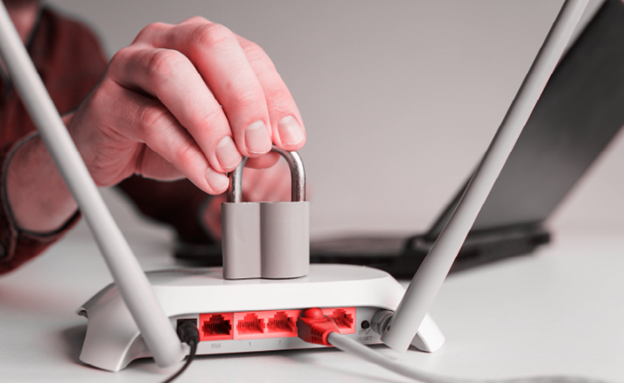
Is Your Router Hacked? Here’s How to Tell and What to Do |
Your home Wi-Fi router is the gateway to your family’s digital life. It connects everything from mom’s phone and the kids’ computers to the living room smart TV—and hackers know it. |
Slower-than-usual browsing? Weird devices showing up on your network? Redirects to websites you didn’t intend to visit? Any of these could spell bad news: your router may have been sabotaged. |
Here’s how to take back control of your hacked router: |
- Unplug your router from the internet
- Perform a full factory reset
- Change the default login username and password
- Update your router’s firmware to the latest version
- Enable strong encryption (preferably WPA3)
- Turn off unused features like remote management and WPS
- Enable your router’s built-in firewall
- Consider upgrading to a router with built-in security
|
Your home router’s security is easy to overlook, but it’s key to protecting your digital life. These tips can help you prevent a hack (or stop it from happening again). |
|
|
Security Question of the Day |
How confident are you in your home network’s security? |
|
|
| Leon Yen is a cybersecurity expert and seasoned tech journalist with over a decade of experience, including founding a cyber risk startup and leading industry-focused research and reporting. |
|
|
|
Liz Ticong is a tech writer specializing in AI and software tools, known for turning complex topics into clear, actionable insights through hands-on testing and analysis. |
|
|
Cybersecurity Insider is a TechnologyAdvice business |
© 2025 TechnologyAdvice, LLC. All rights reserved. |
TechnologyAdvice, 3343 Perimeter Hill Dr., Suite 100, Nashville, TN 37211, USA. |
|
|
|